# Schedule Overrides

Make one-time adjustments to existing on-call schedules and help on-call engineers with planned vacations, unplanned illnesses, or other events that happen during their on-call shifts. This way, only the users in override schedules will get notified of incidents during the scheduled time period.

### Creating a Schedule Override <a href="#creating-a-schedule-override" id="creating-a-schedule-override"></a>

Ensure that the right Team is selected from the team picker present at the top.

**(1)** Click on **Schedules** in the primary navigation

<figure><img src="https://1574591692-files.gitbook.io/~/files/v0/b/gitbook-x-prod.appspot.com/o/spaces%2F8TaWz01jmUJl58p4ZVel%2Fuploads%2Fgit-blob-7ff5b6a7033489ec57881cc9c2d57e41bc2e9783%2Fschedules_1%20(1)%20(1)%20(1)%20(1)%20(1)%20(1)%20(1)%20(1)%20(1)%20(1)%20(1)%20(1)%20(1)%20(1)%20(1)%20(9).png?alt=media" alt="How to create on-call schedule override in Squadcast"><figcaption></figcaption></figure>

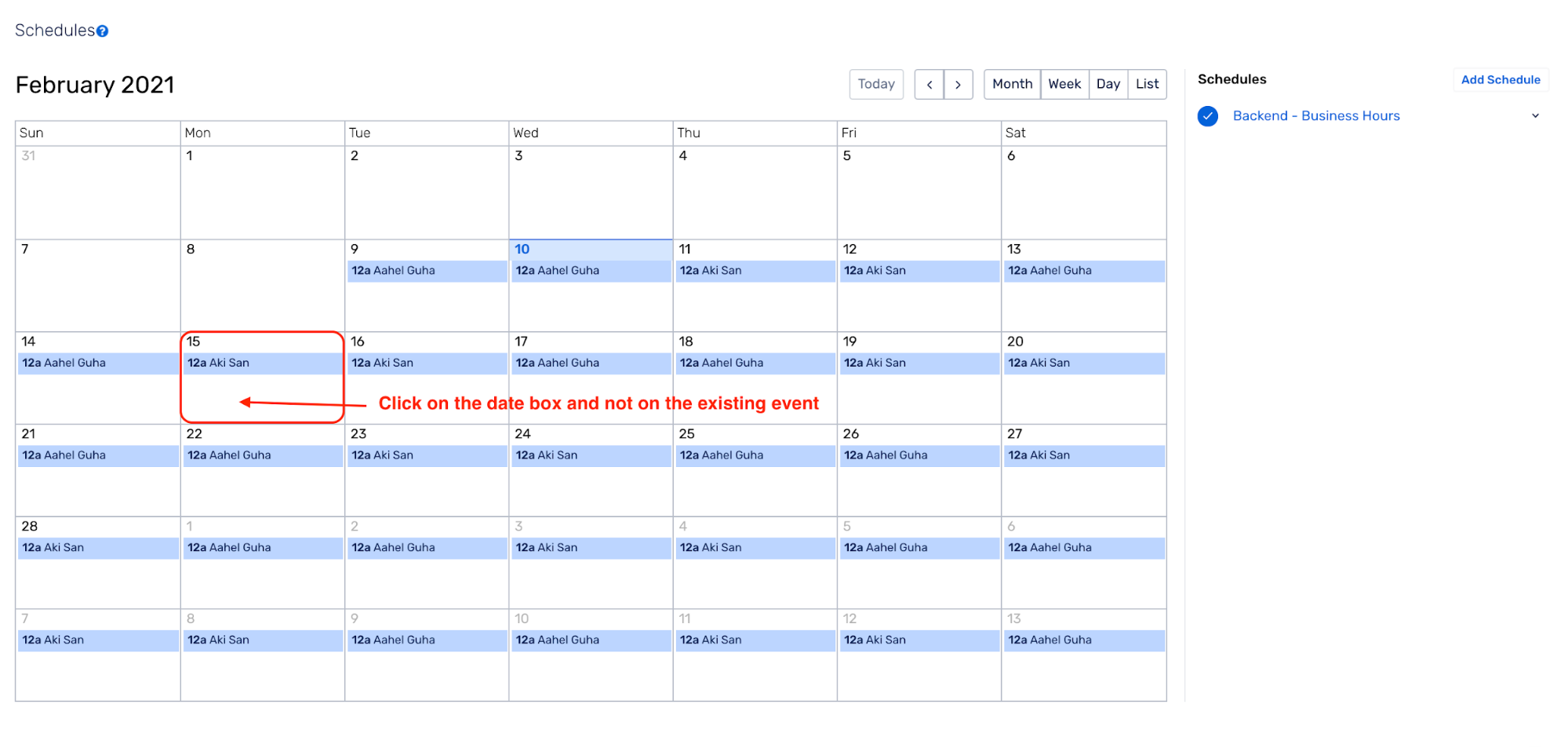
**(2)** On the calendar, click on a date or drag over the date(s) on which you’d like to create the override shift

<figure><img src="https://1574591692-files.gitbook.io/~/files/v0/b/gitbook-x-prod.appspot.com/o/spaces%2F8TaWz01jmUJl58p4ZVel%2Fuploads%2Fgit-blob-9ef6034b07f7f362b253d17092984b33f9d0526d%2Fschedule_overrides_1.png?alt=media" alt="How to create on call override on call shift in squadcast"><figcaption></figcaption></figure>

**(3)** Select the Schedule for which this override shift will be implemented from the dropdown

![Select the schedule for which this override shift in Squadcast](https://1574591692-files.gitbook.io/~/files/v0/b/gitbook-x-prod.appspot.com/o/spaces%2F8TaWz01jmUJl58p4ZVel%2Fuploads%2FaOxT3d7eJYgwaUswJ6Xp%2Foverrides_gb_1.png?alt=media\&token=a78e5750-95c7-4de6-97b8-2d574f4782f3)

**(4)** Fill in the Override Shift details i.e. Start date, Start time, End date and End time

![Override Shift details i.e. Start date, Start time, End date and End time](https://1574591692-files.gitbook.io/~/files/v0/b/gitbook-x-prod.appspot.com/o/spaces%2F8TaWz01jmUJl58p4ZVel%2Fuploads%2FsafyU34nkbbIGRamgUD1%2Fschedule_overrides_3.png?alt=media\&token=e0ca07bd-2184-4762-a5bd-767596d51acf)

**(5)** Check the **Is Override** box

![Check the Is Override box in Squadcast](https://1574591692-files.gitbook.io/~/files/v0/b/gitbook-x-prod.appspot.com/o/spaces%2F8TaWz01jmUJl58p4ZVel%2Fuploads%2FUWBsQ3rGqri4k45ZvzAD%2Fschedule_overrides_4.png?alt=media\&token=7266bc0e-e093-42bf-96e8-c31786265a92)

**(6)** **Optional** - Fill in the repetition configuration as per the requirement

![How to configure repeats for override shifts in Squadcast](https://1574591692-files.gitbook.io/~/files/v0/b/gitbook-x-prod.appspot.com/o/spaces%2F8TaWz01jmUJl58p4ZVel%2Fuploads%2FQt9PevMB4FmBFqenSjjh%2Fschedules_overrides_gb_5.png?alt=media\&token=c72454dc-fc7f-4092-8004-11fa375a5652)

**(7)** Add the User(s) who would take over the shift

![How to add user for override shifts in Squadcast](https://1574591692-files.gitbook.io/~/files/v0/b/gitbook-x-prod.appspot.com/o/spaces%2F8TaWz01jmUJl58p4ZVel%2Fuploads%2FTfvl2NMPdi0pgL93zzSr%2Fschedules_overrides_gb_66.png?alt=media\&token=02f8935d-b9ca-499f-b916-97a240343ceb)

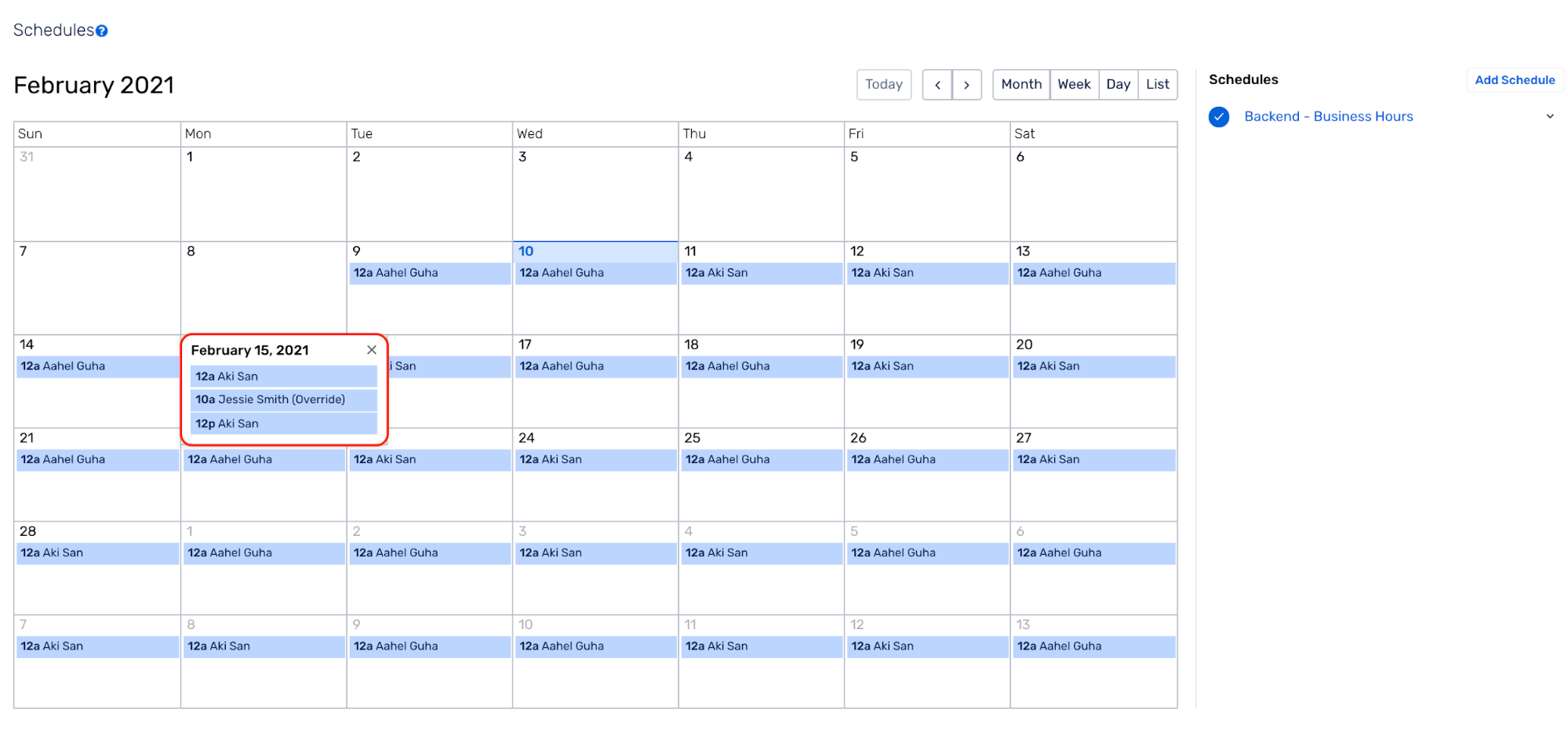
**(8)** Click on **Create** to save this as an override shift. The Override shift would be displayed for the selected date(s)

<figure><img src="https://1574591692-files.gitbook.io/~/files/v0/b/gitbook-x-prod.appspot.com/o/spaces%2F8TaWz01jmUJl58p4ZVel%2Fuploads%2Fgit-blob-effad0514e58e44ccc2d3c81a2a9d0208a65835a%2Fschedule_overrides_7.png?alt=media" alt="Create to save this as an override shift in Squadcast"><figcaption></figcaption></figure>

#### Points to note about Scheduled Overrides <a href="#points-to-note-about-scheduled-overrides" id="points-to-note-about-scheduled-overrides"></a>

* Creating an override shift is identical to normal shifts, except for the fact that they are marked as **Override**
* If an override shift overlaps with one or more shifts in the same on-call schedule, **only the assignees in the override shift are notified**
* If an override shift does not overlap with any other shift, it behaves like a normal shift. It will still be marked as an **Override**. If a new normal schedule is created during an existing override shift period, the override shift will continue to override the new schedule for the scheduled override period
* If two or more override shifts overlap, assignees from all of the override shifts will be notified when an incident is triggered